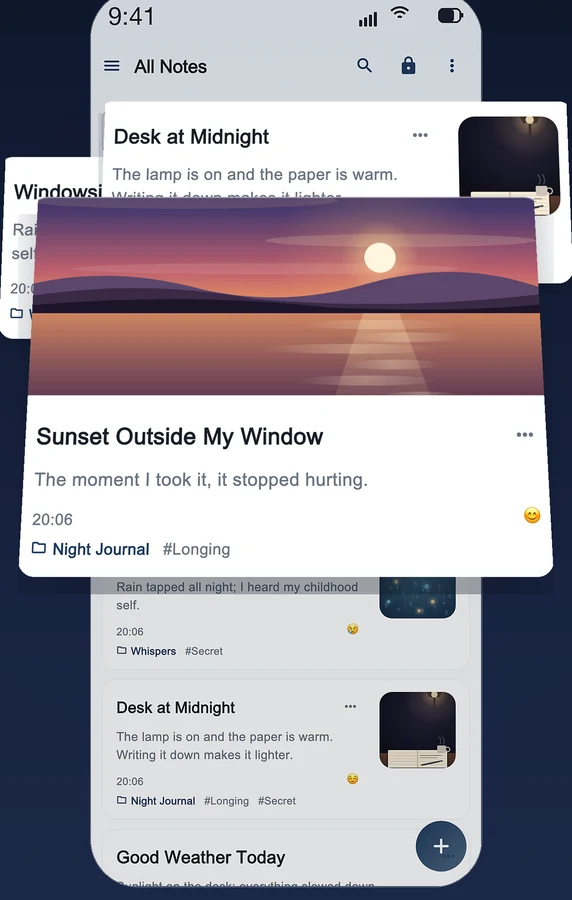
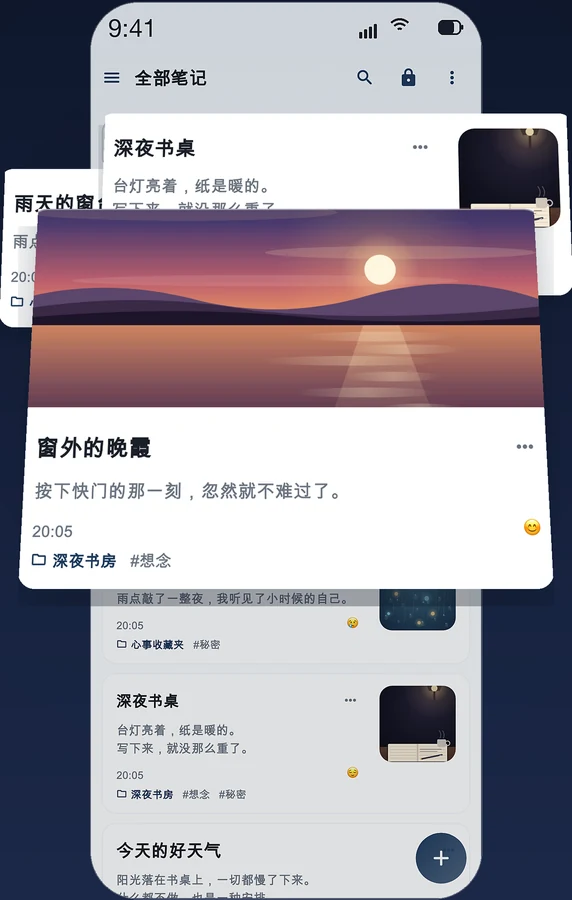
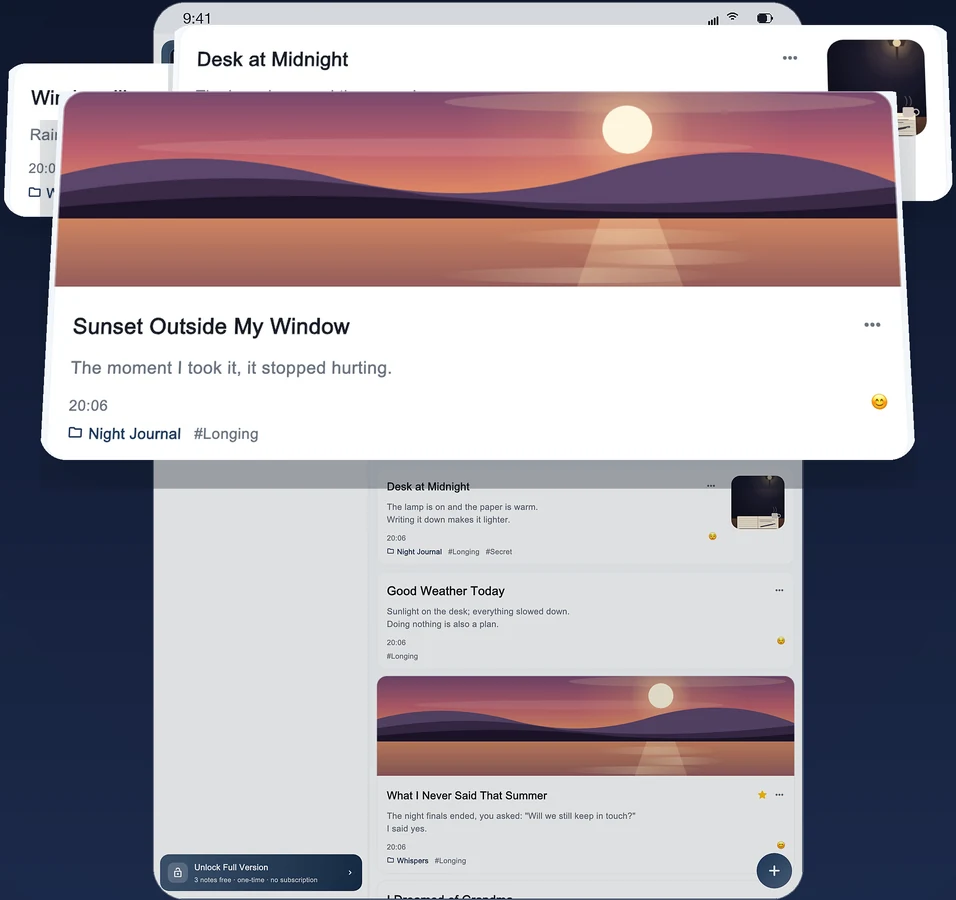
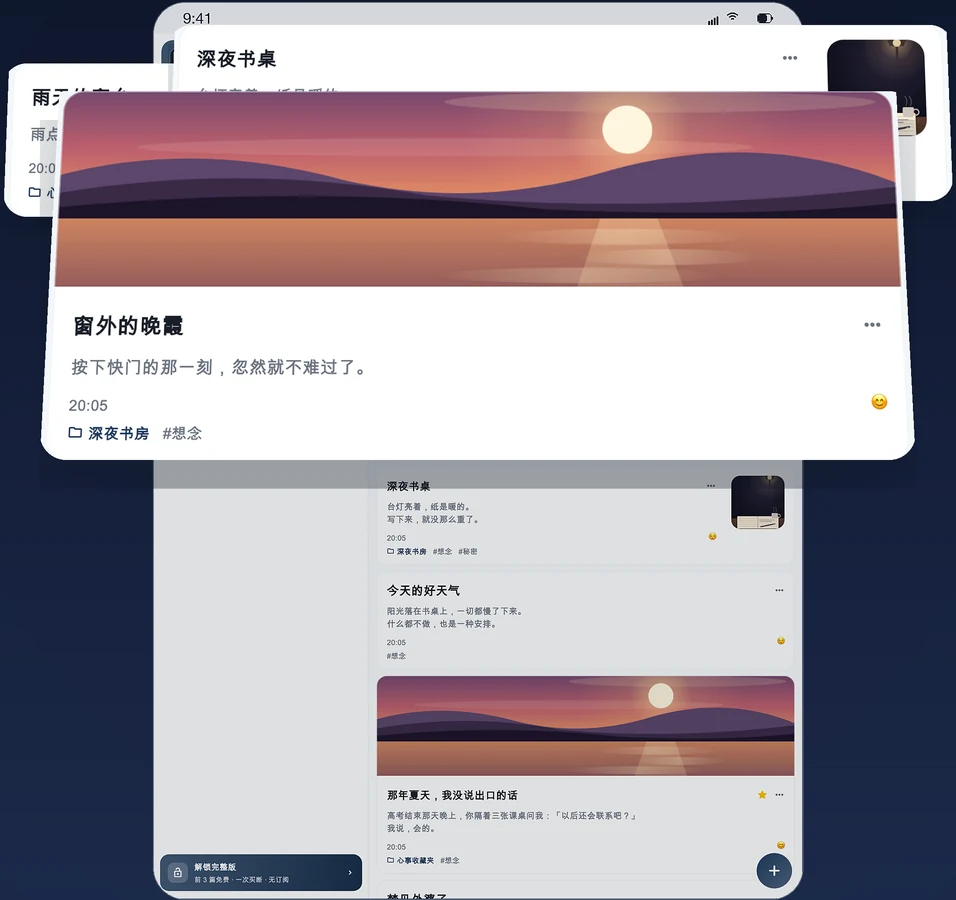
Not where you log what you had for lunch — where the things you had nowhere to say go.
真实的故事
有些话,只敢写在这里
这里不记今天吃了什么 —— 这里收着你没处可说的话。
A diagnosis, kept quiet
He never told his family.
The scan results came back on a Tuesday afternoon. He stood in the hospital corridor for ten minutes, folded the sheet into four and pushed it into his inside pocket. At dinner his wife asked why he was so late; he said a meeting. That night he opened OffMemory and wrote it down line by line — the date of the next scan, where it hurt today, whether he could still finish a bowl of rice. Then he locked it and put the phone face-down on the nightstand. He will tell them once the results are settled. By then, perhaps, he will be able to say it without his voice changing.
Every card's PIN, where the spare key to the safe is kept, which account the first payment should come out of if he is no longer there — all of it in here. He never meant for anyone to read these lines, but he knows a day will come when someone has to. So he writes it properly: which bank, which branch, who to ask, which papers to bring. Then he locks it, the way you lock a promise that is not due yet.
A status edited three times and never published. A letter to the person he was ten years ago. The night his daughter first said "mama" — four in the morning, and he cried harder than she did. None of it fits anywhere public: too long, too soft, too out of season. OffMemory doesn't ask. It keeps the words, and stays quiet.
What cannot be said in daylight queues itself up at two in the morning. He doesn't turn on the light. He drops the brightness as low as it goes and writes, line by line. There is no one to send it to and no one to explain it to — the moment the screen dims, he is already asleep. Reading it again the next day, the sentences look a little messy. Every one of them is true.
The room isn't his. Someone else's hotel name is printed on the key card, and he doesn't know the city outside the window. He writes two lines about tomorrow's meeting, then two lines he will never say in it — about the proposal he has to nod at, about wanting to resign. Neither line will ever have a third reader. In the morning he shows up on time, and keeps the two sets of sentences perfectly apart.
As a child she kept a paper diary under the mattress. Her mother found it and read it aloud to the whole family at dinner. She never used paper again. Now her son plays with her phone and the family shares one iPad — the password is the only door there is, not a polite "please don't open that", which no one has ever actually obeyed.
Cloud drives shut down. Accounts lapse. Companies get acquired, formats expire. An encrypted backup on your own drive still opens in ten years — no one's approval needed, and no need to remember which email address you signed up with. He exports one every six months, keeps it on two drives, and leaves one at his parents' place. A time capsule, addressed to himself.
That day he wrote down every worst case he could think of: if the interview went badly, if the savings didn't last the year, if she really left. Afterwards he felt like a fool — and locked it anyway. Three years later he found the entry again and sat at his desk laughing for a long time. Not because it was absurd. Because he had actually come through it.
By the time you arrive, I've already written a lot.
She started the week the test came back positive: how many times she was sick that day, which song was playing, how big that dot on the scan was. She wrote that she was frightened, and she wrote that she was absurdly happy — often one line apart. On his eighteenth birthday she plans to hand him this encrypted backup. The passphrase is his birthday. He will guess it.
Called into a meeting ten minutes before the end of the day; by the time he came out his badge no longer worked. He sat in the convenience store downstairs until dark with a cardboard box beside him, bought a bottle of water and didn't drink it. In those three hours he wrote a few thousand words: how much was left on the mortgage, how to tell his family next month, what exactly he had done wrong. The next morning he was up at seven, on the third revision of his CV.
Every Wednesday at three she arrives ten minutes early, kills the engine and writes in the car: what she wants to bring up today, why last week's sentence still stings, whether she is any better. Then she locks it and walks upstairs. She has never mentioned the diary to her therapist either — some feelings, she says, have to go through paper once before they can be said out loud twice.
We could sync. We chose not to — because every cloud sync adds one more party who could open your diary. Here is what that convenience would have cost you.
Shipping a sync button is not hard: one account, one database, one server-side key, live in a few weeks — and it would sell far better as a subscription. We didn't build it. A diary is the one kind of text where a second copy is the problem: it holds the sentences you haven't worked out yet, and a second copy is one more thing that can be requested, crawled or sold. So sync was replaced with an encrypted backup you carry yourself — the same data, still restorable on a new device, but nothing anyone can open for you.
3 formats, including plain Markdown三种格式,含可读 Markdown
Often limited or paid常受限或需额外付费
If you forget your password忘记密码时
Security questions recover it, keeping every entry密保问题可救回,保留全部数据
Email reset — because they hold the data靠邮箱重置 —— 因为数据在他们手里
No one else can reset your password either. That is not a bug — it is the whole point.其他人也无法重置你的密码。这不是缺陷 —— 这正是它存在的意义。
This is not a limitation. It is a decision. A diary is worth more when nobody else can be asked for it.
这不是技术做不到,是产品不该这么做。一本没有人能被要求交出来的日记,才更值得写。
1
Password密码6+ characters, letters and numbers至少 6 位,含字母与数字
2
Face ID / Touch ID面容 ID / 触控 IDOne glance to open抬眼即开,不必输密码
3
Background auto-lock后台自动上锁Immediately, or after a delay you choose切回后台立即上锁,或按你设的延时
4
Screenshot blocking截图拦截Note pages refuse to be captured笔记页禁止截屏与外录
Four layers of lock
Nothing gets out. Nothing gets in.
Most diary apps protect one door. OffMemory stacks four — and none of them is optional. Even someone holding your unlocked phone has to get past all of them, in order.
1
PasswordAt least 6 characters with letters and numbers. Your password is never transmitted and never stored on a server — only a key derived from it lives in the iOS Keychain.
2
Face ID / Touch IDUnlock in a glance instead of typing, with a passcode-backed copy so it stays available after a restart.
3
Background auto-lockThe moment the app leaves the screen it can lock itself — immediately, or after a delay you set.
4
Screenshot blockingOpen a note and screenshots and screen recordings are refused by the system. What you write cannot be quietly copied out.
No tiers, no locked-away extras. This is the whole app — from the four locks to the mood calendar to the cleanup guide.
所有功能,一次说清
没有分级、没有藏起来的付费项。这就是完整的功能清单 —— 从四层锁到心情日历,再到空间清理向导。
First, three things most diary apps don't do先说三件别家不一定做的事
A backup with its own lock
Export one .sdbackup sealed with a passphrase you choose. It restores on a new phone, after a reinstall, even on your computer — a copy that leaves the app still opens for nobody but you.
Your other password opens a different diary entirely — its own notes, its own folders, invisible to the first. What stays behind is only ever behind the password you kept to yourself.
Jot it on iPhone, add a line from your wrist, read it wide on iPad, keep going at your desk — one purchase unlocks all four, and they are one family. Nothing moves between them behind your back: when you want your words on another device, export the passphrase-protected backup and open it there. Your diary travels when you say so.
Write as much as you want, for as long as you want. The only ceiling is your device's free storage — and the app tells you exactly what is using it.
Encrypted backup that travels with you
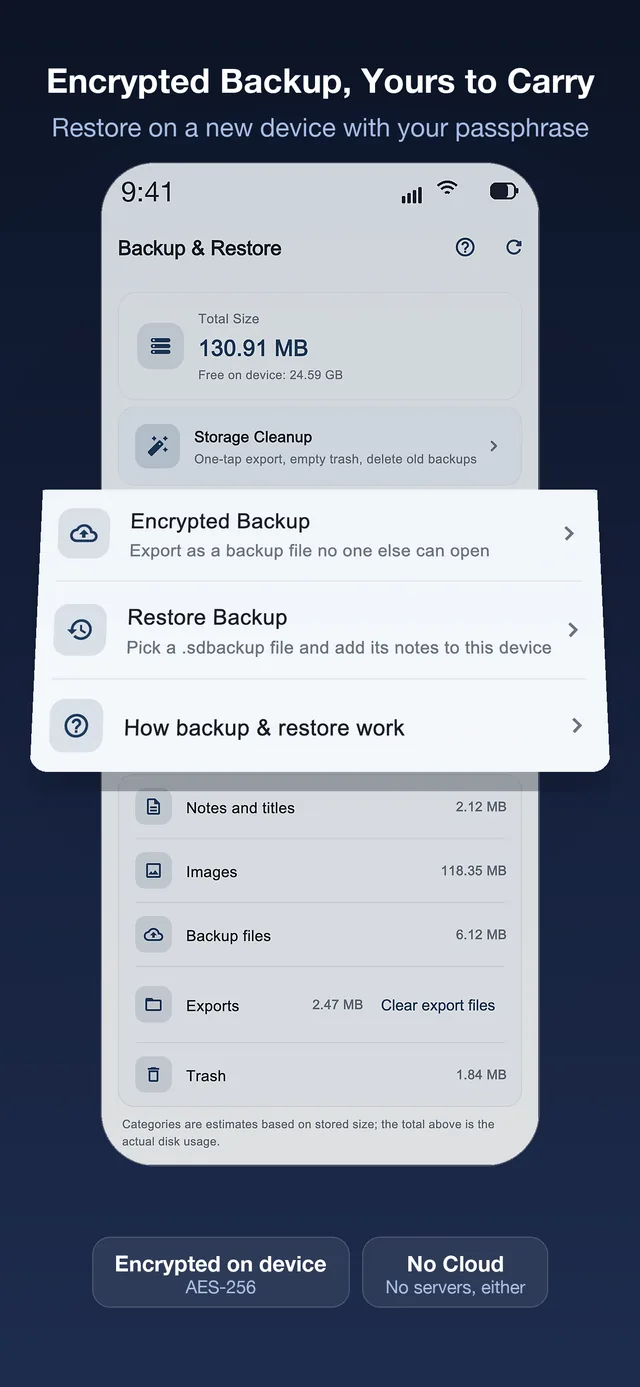
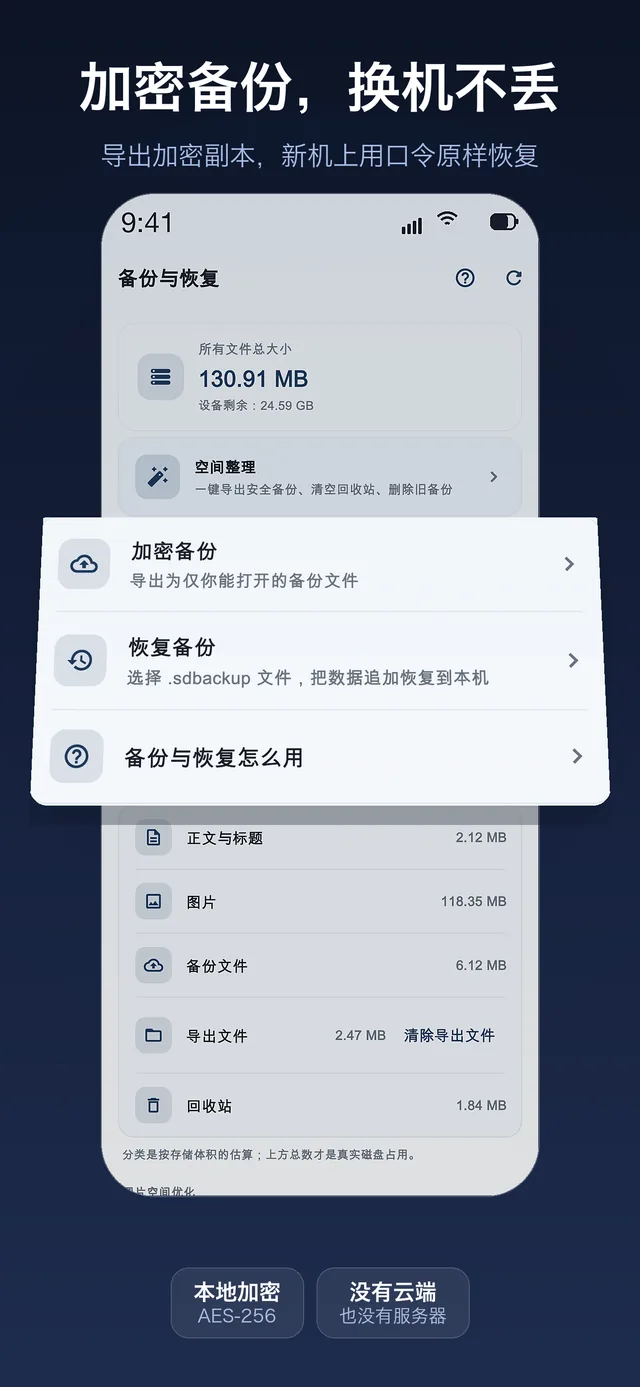
Export an encrypted backup and bring every note, photo and mood back on a new iPhone — or right after reinstalling. Set a backup passphrase and the very same archive restores across devices. Your diary stops being tied to one phone, without ever being uploaded.
No cloud, no servers
There is no backend behind the app. No tracking, no analytics, no uploads, no attribution SDKs. Online or offline, it behaves identically.
AES-256, local only
Titles, bodies and images are encrypted with AES-256 before they touch the disk. The key is derived from your password with Argon2id and kept in the Keychain.
Four layers of lock
Password, Face ID / Touch ID, background auto-lock and screenshot blocking on note pages. Layered — and not optional.
On This Day
Open the app and it quietly shows what you wrote on this exact date in past years. The entries you had forgotten are the ones that turn out to matter most.
Mood marks & a writing calendar
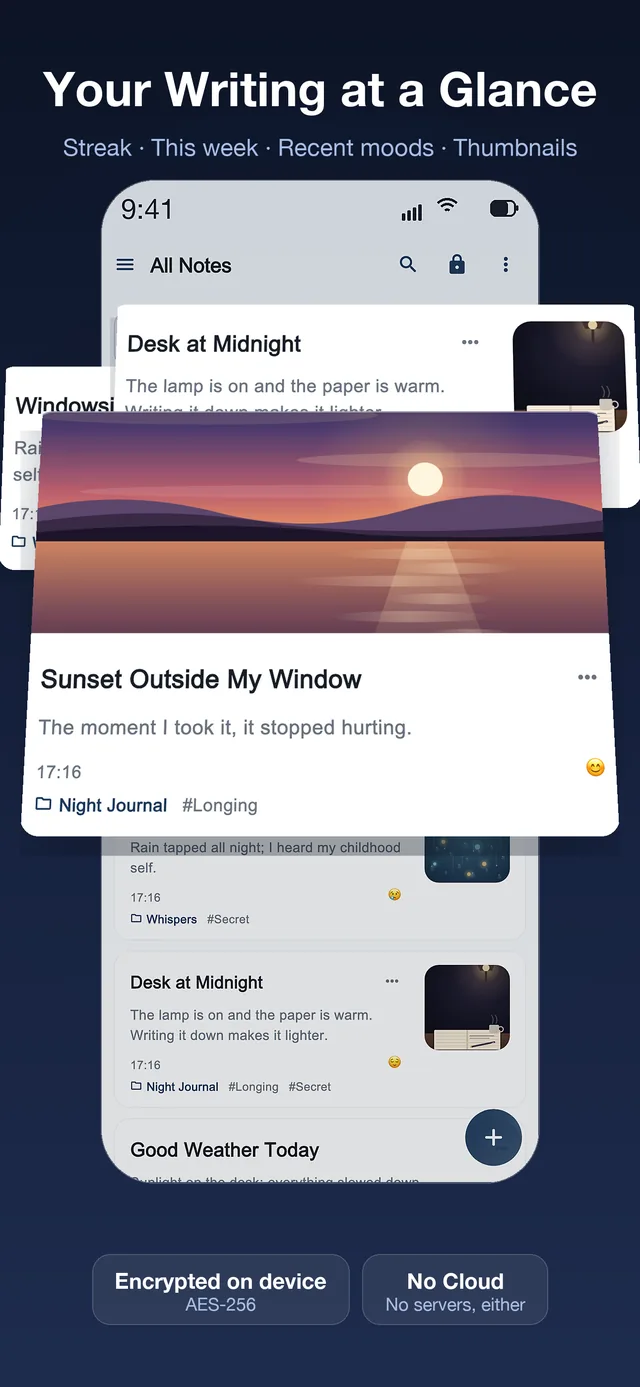
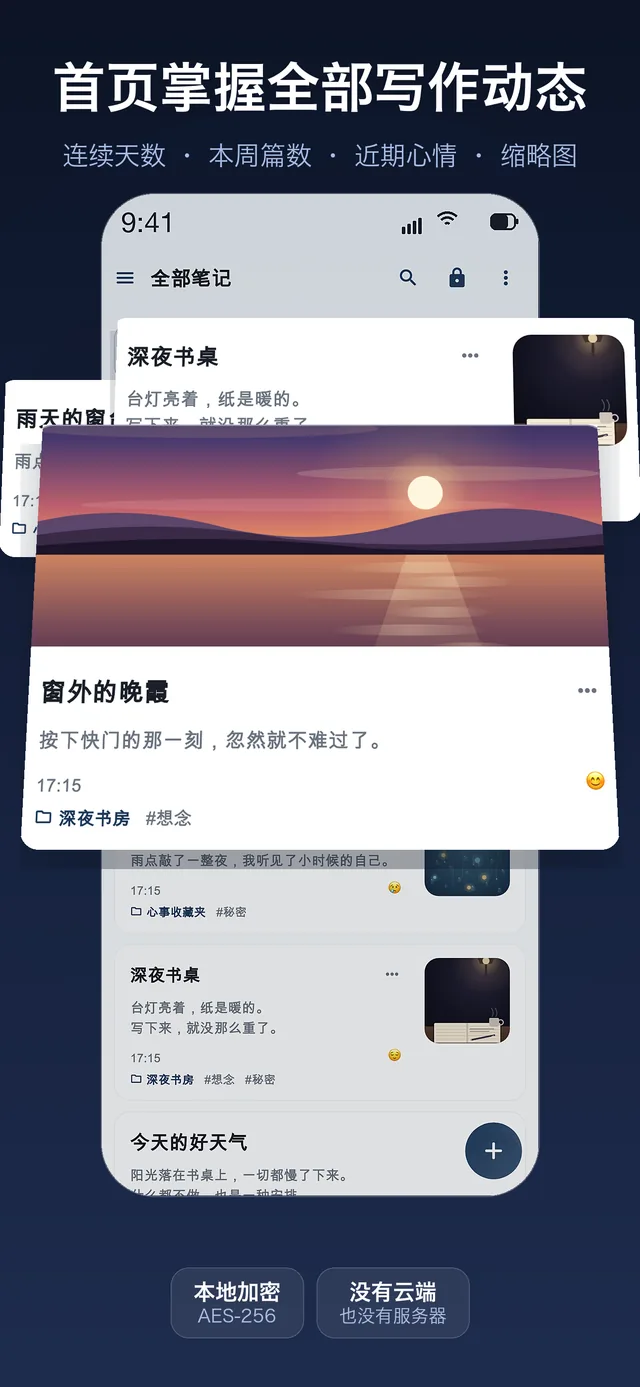
Tag each entry with how you felt — happy, calm, sad or anxious — then revisit the year as a heatmap. See how many days you wrote, your longest streak, and how you were doing while you wrote them.
Full-text search
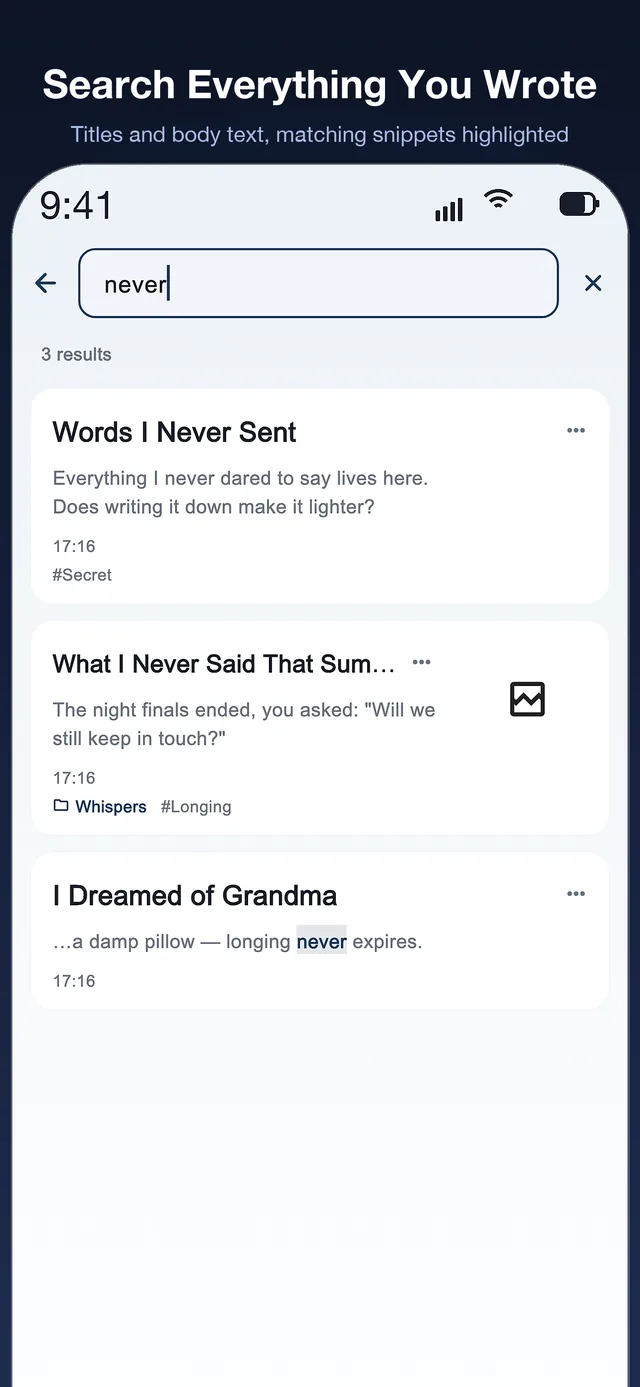
Search every title and every line of body text, with matching snippets highlighted. Filter by tag, then act on the results in bulk.
A gentle daily reminder
A local notification at the hour you choose — nothing leaves the device. Choose a night-time hour and it still appears, but arrives silently, so it never wakes you.
Three ways to export
An encrypted archive for moving devices, a plain .zip of readable Markdown plus images, or a plain .txt. Your writing is never held hostage.
A real Markdown editor
Headings, lists, quotes, coloured text and inline photos, from a toolbar that folds away when you just want to write. A live character count sits in the corner.
Folders, tags & favourites
Nest folders however you like, tag a note into several places at once, and star the entries you return to. Deleting a folder promotes its notes — it never deletes them.
Trash with a safety net
Deleted notes rest in Trash for a set number of days and can be restored in one tap. Nothing vanishes the moment you mis-tap.
Sort the way you think
By last edited, by date created, or by title A→Z. The choice is remembered, so your list looks the way you left it.
Storage you can see
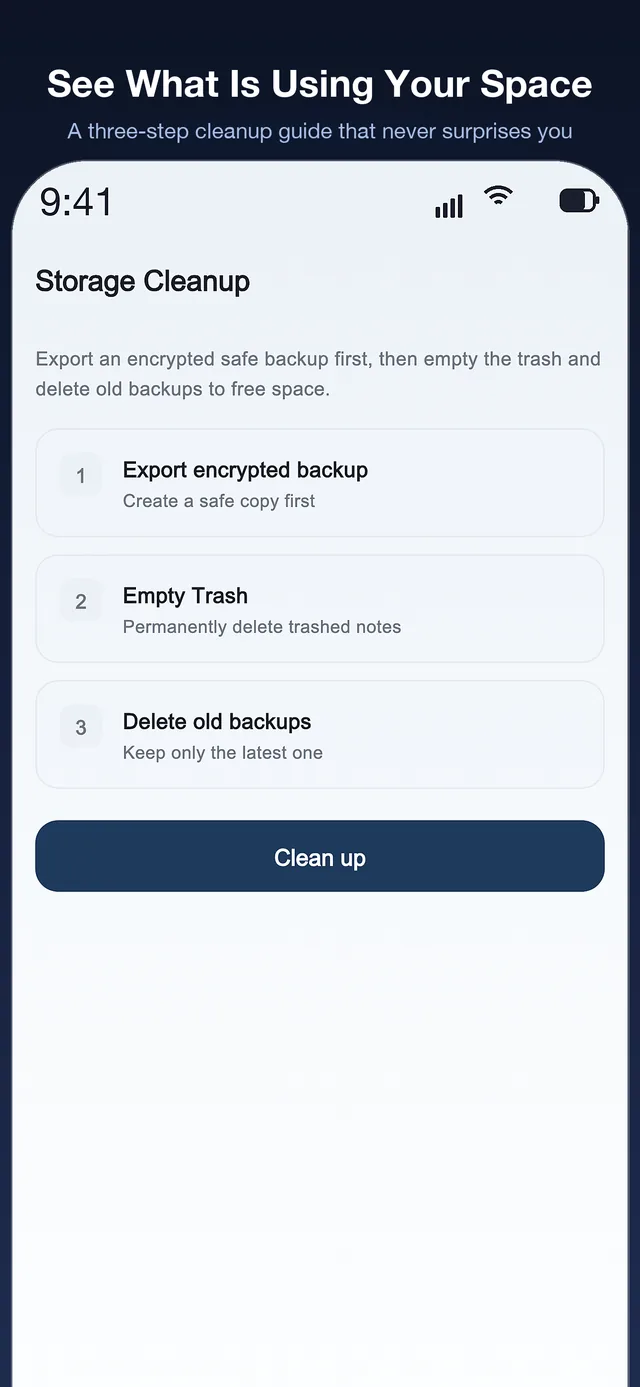
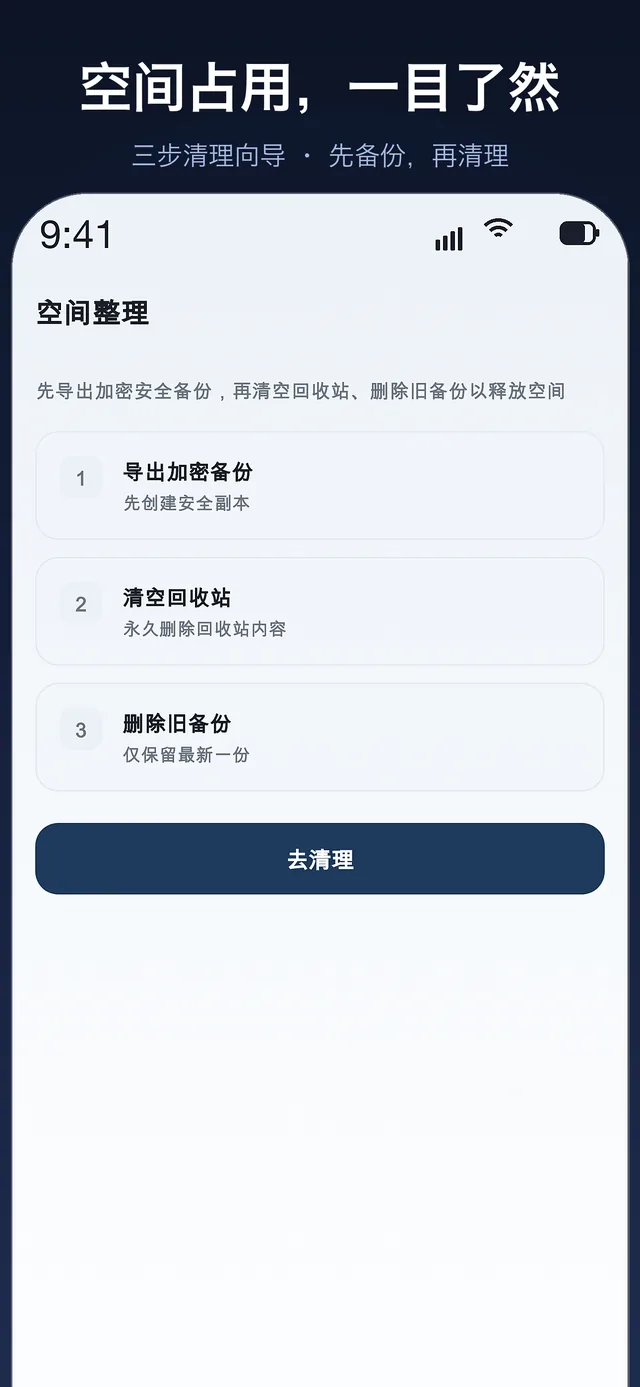
See exactly what is using your space, then follow a three-step cleanup guide: save a safe backup first, empty the Trash, drop old backups.
Security questions that save you
Set up to eight security questions during setup. Answer them correctly and you can set a new password while keeping every single entry — no server, no reset link.
15 languages
English, Chinese (Simplified and Traditional), Japanese, Korean, German, French, Spanish, Brazilian Portuguese, Italian, Dutch, Polish, Turkish, Vietnamese and Russian.
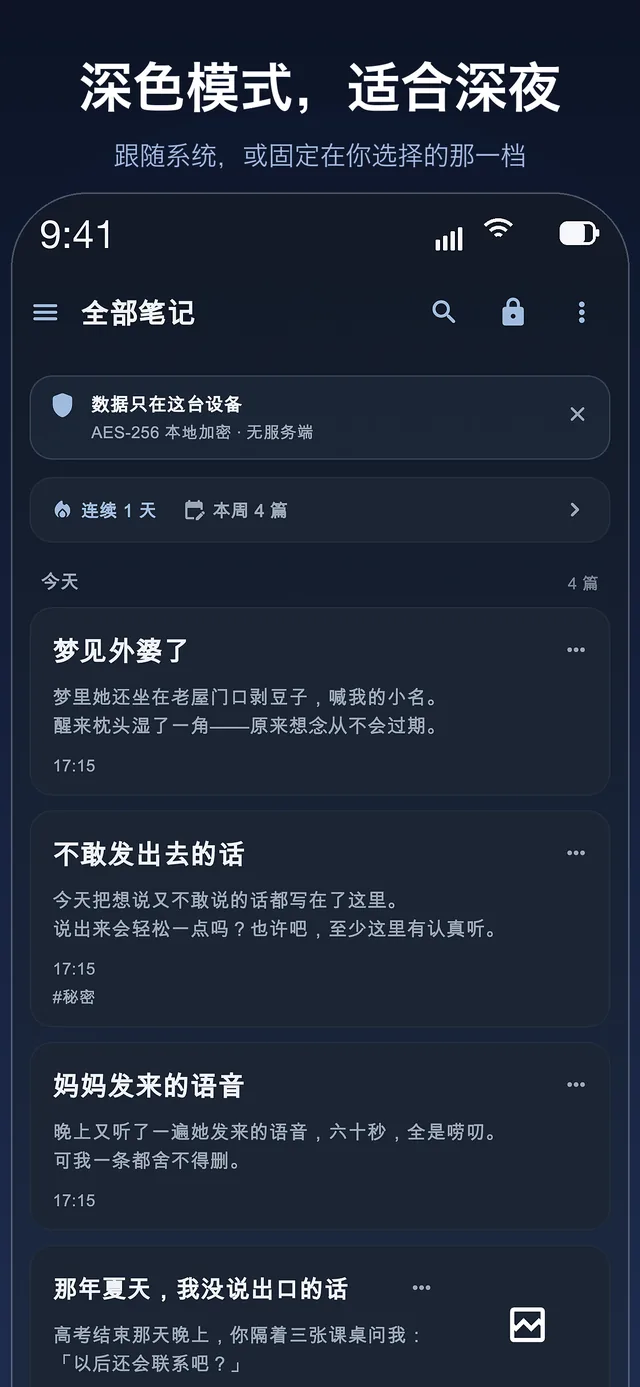
Dark mode, made for late nights
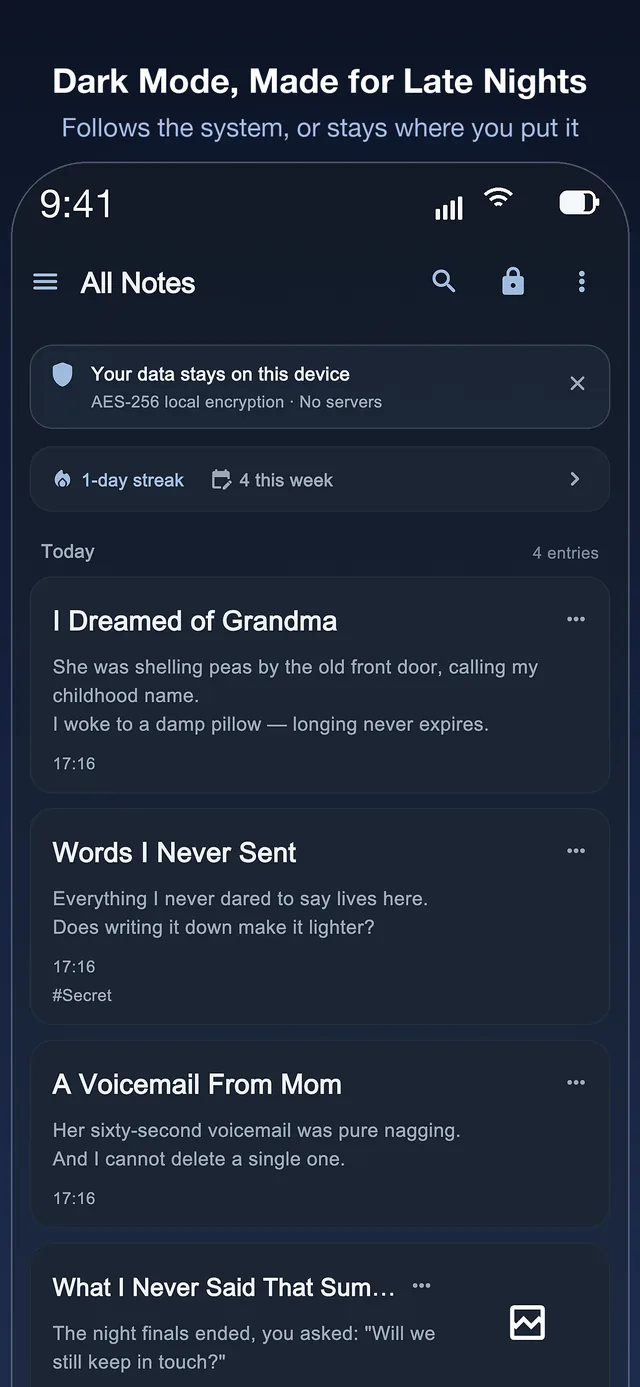
A quiet dark theme that follows the system, or stays where you put it. Writing at 2 a.m. should not light up the room.
One purchase, forever
Download free, then a single one-time purchase permanently unlocks writing. No subscription, no auto-renewal, no ads, no analytics, and your content is never monetised. Keeping a secret should not come with a monthly bill.
Rebuilt for iPad
Portrait and landscape, from the home screen to the editor, the calendar and the unlock page. See it in full below.
For a long time, keeping everything local had one real weakness: your diary lived on exactly one device. An encrypted backup closes that gap — export a passphrase-protected .sdbackup that restores on a new device, after a reinstall, even on your computer, without ever adding a door anyone else could open.
Export a single encrypted .sdbackup file from Settings → Data
Set a backup passphrase, and the same file restores on a different iPhone — or after reinstalling
Notes, folders, tags and images all come back — imported items are added, never overwritten
The archive stays encrypted end to end. Put it on iCloud Drive or a USB stick if you like — we still cannot read it
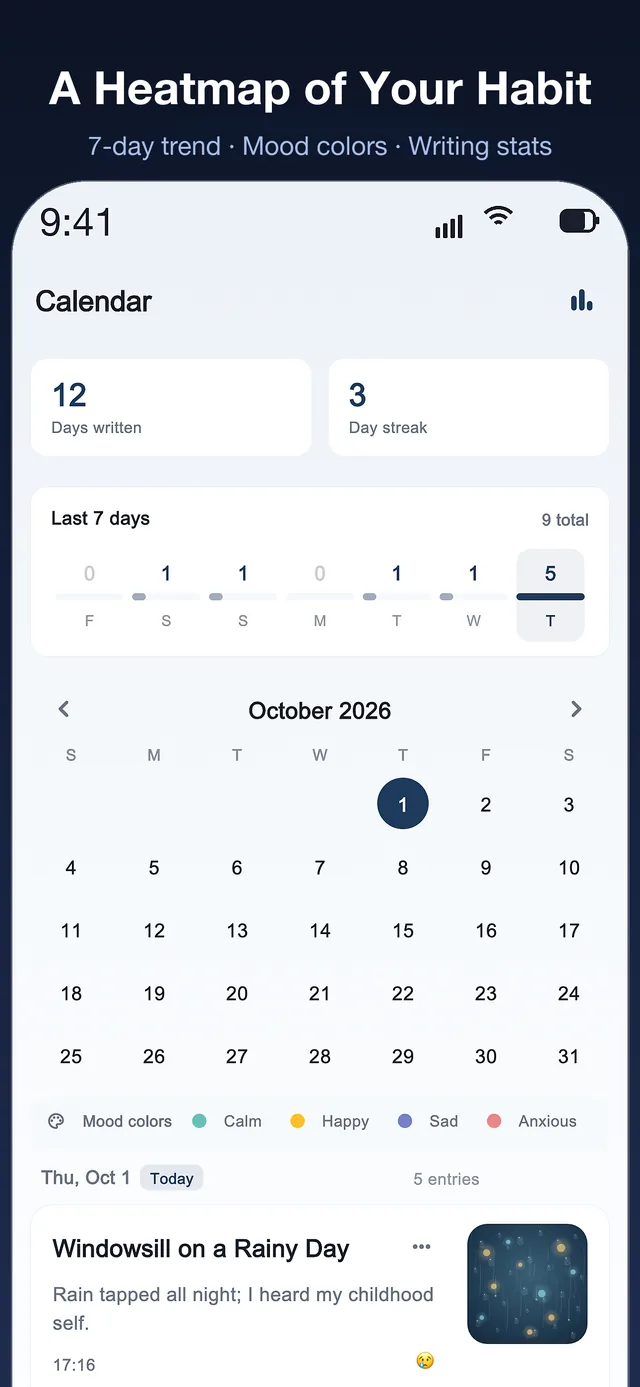
Mood marks turn a pile of entries into something you can actually read: a record of how you were, not just what you did.
Mark each entry happy, calm, sad or anxious — with a colour legend you can read at a glance
A calendar heatmap showing how many days you wrote and your longest streak
Last-7-days trend, so a quiet month is visible before it becomes a quiet year
On This Day resurfaces what you wrote on this date in earlier years
心情与日历
一年的日子,一眼看完
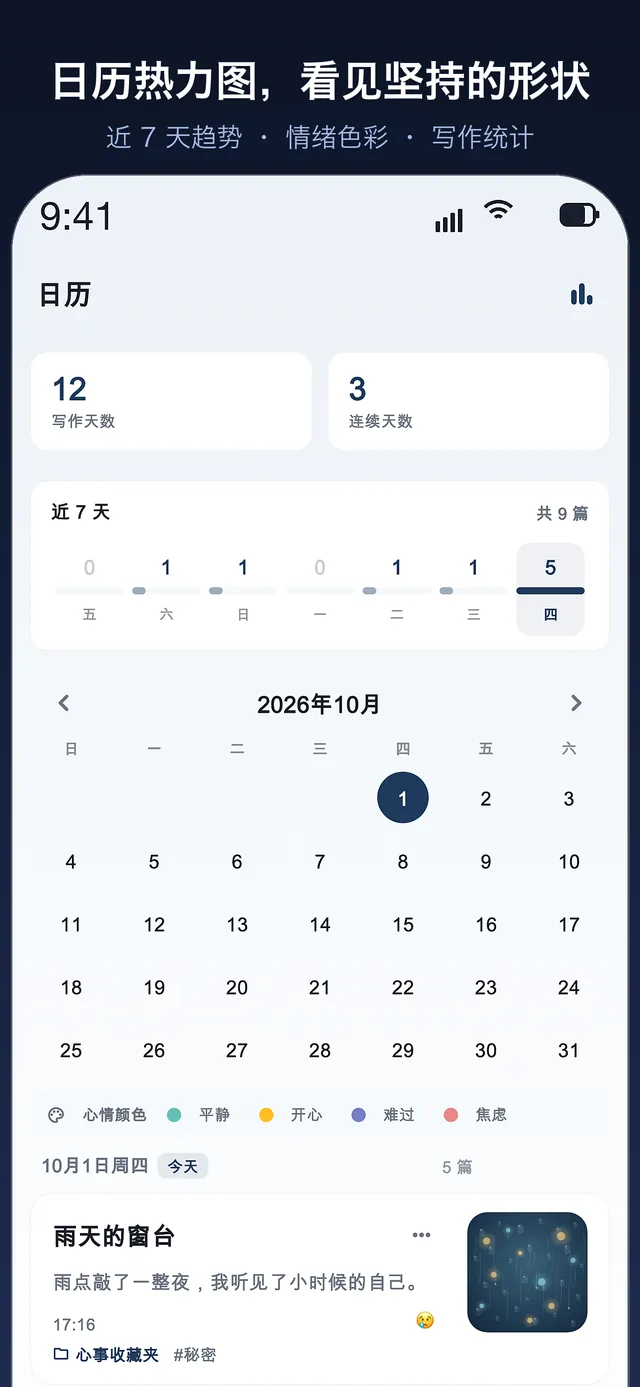
心情标记把一堆散落的笔记变成真正能读的东西:它记录的不只是你做了什么,而是你那段时间过得怎么样。
为每篇标记心情:开心、平静、低落或焦虑 —— 配有色块图例,一眼可辨
日历热力图统计你写了多少天,以及最长连续书写记录
近 7 天走势,让「这个月有点安静」在变成「这一年都安静」之前就被看见
「那年今日」把往年今天写下的句子重新送到你面前
Search & tidy up
Find anything, then tidy in bulk
A diary that has grown for years is only useful if you can get back into it. Search now reads the body text, not just the titles.
Full-text search across titles and body text, with highlighted snippets and a result count
Long-press to enter multi-select, then move, tag or delete many notes at once
Sort by last edited, date created or title, and the choice sticks
Deleted notes wait in Trash, ready to be restored for a set number of days
搜索与整理
什么都找得到,还能批量整理
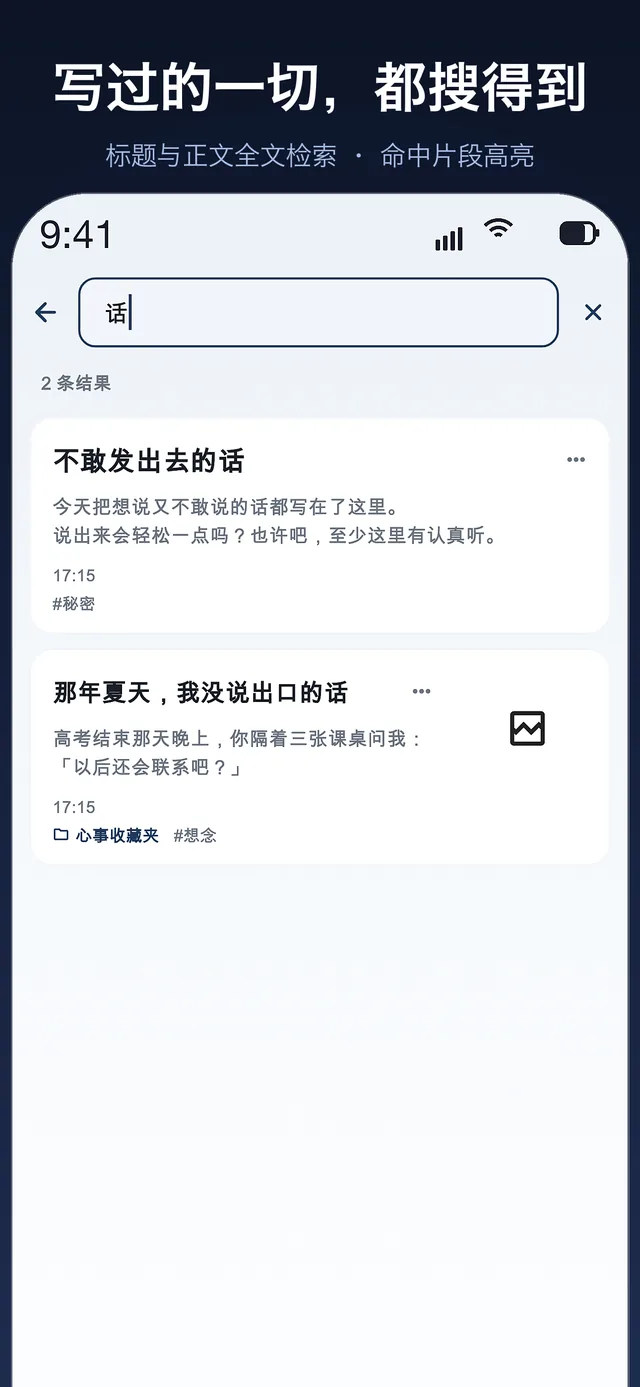
写了多年的日记,只有「能翻回去」才有价值。现在的搜索读的是正文,而不只是标题。
标题与正文全域搜索,命中片段高亮,并显示结果数量
长按进入多选,一次批量移动、打标签或删除多篇笔记
按最后编辑、创建时间或标题排序,选择会被记住
删除的笔记会在回收站停留若干天,随时可以恢复
Apple Watch & iPhone
Catch it on your wrist, before it escapes.
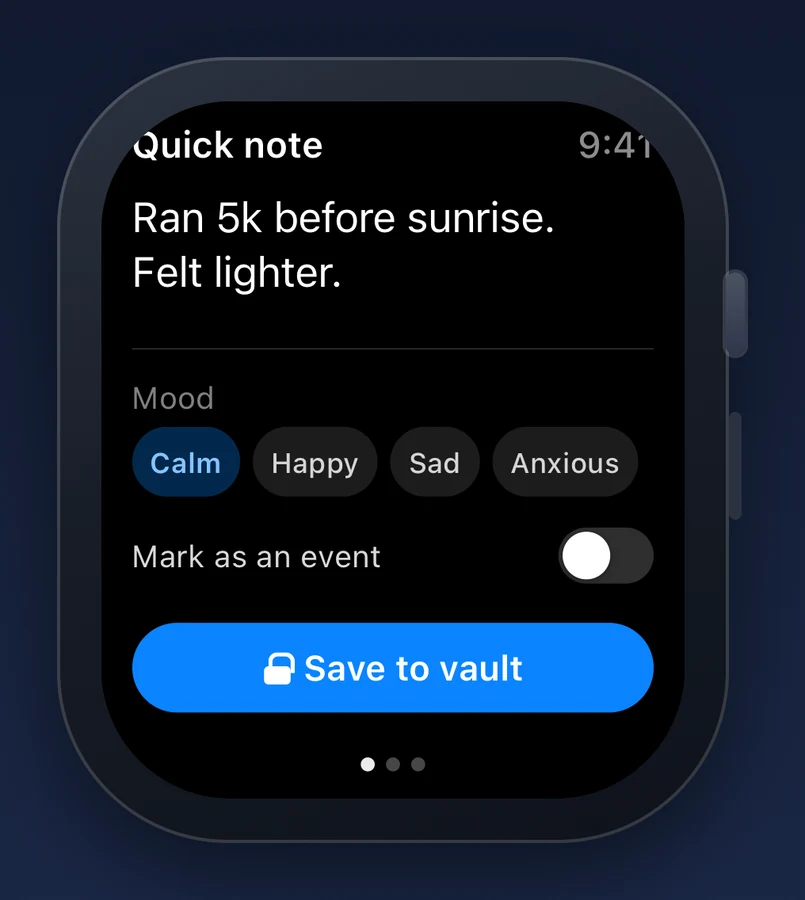
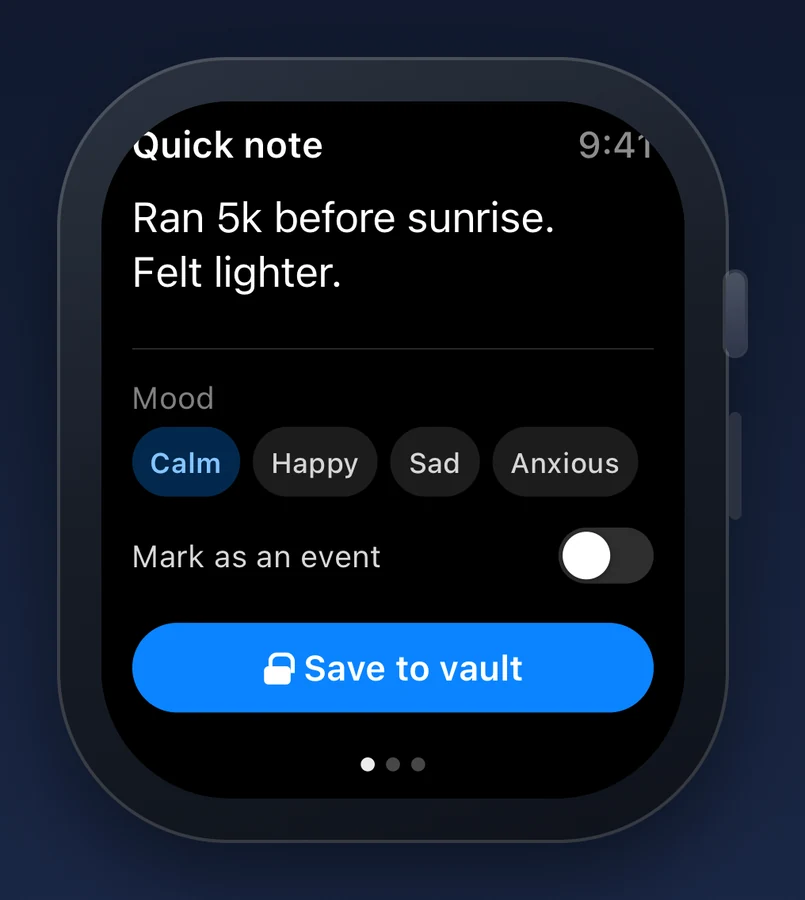
Most thoughts do not wait for you to unlock a phone. OffMemory ships a real Apple Watch app: dictate or scribble a line, tap a mood, and it queues on your watch — then lands in the same encrypted vault the moment your iPhone is reachable and unlocked.
Quick capture — the watch text field brings up dictation and Scribble natively. No new permission is requested, because it never touches the microphone.
Four complication families — circular, rectangular, corner and inline. Your streak, whether today is written, On This Day count and pending captures all live on the watch face.
Offline queue — write with your iPhone out of range or locked. Captures wait in the watch's own Keychain and are delivered idempotently, so nothing is stored twice.
Remote lock — lock your iPhone from the wrist if you set it down unlocked, then unlock it again with Face ID.
Circular圆形Streak ring + flame连续天数环 + 火焰
Rectangular矩形Streak, today, On This Day连续 · 今日 · 那年今日
Corner角落Streak as a single number一个数字看完连续天数
Inline行内Streak with today's tick连续天数 + 今日对勾
Apple Watch 与 iPhone
在手腕上抓住它, 别让它溜走。
大多数念头不会等你解锁手机。密匣笔记有一个真正的 Apple Watch 应用:说一句、涂一句、点一下心情,它就先在手表上排队 —— 等你的 iPhone 可达并已解锁,再落进同一个加密保险箱。
Rectangular矩形Streak, today, On This Day连续 · 今日 · 那年今日
Corner角落Streak as a single number一个数字看完连续天数
Inline行内Streak with today's tick连续天数 + 今日对勾
Quick note快记9:419:41
12day streak天连续
Written today今日已写
2pending条待同步
Save to vault存入保险箱
Who it is for谁适合用
Some things should never sync
OffMemory is for anyone whose words are worth more than the convenience of a cloud account.
有些事,不该同步到任何地方
如果你的文字比「云端账号的便利」更值钱,这本日记就是给你写的。
Journaling for the long runPeople who intend to read their own diary in ten years — and don't want it locked behind a company that may not exist.
Work you are not allowed to shareCounselling notes, therapy homework, pastoral or medical reflections. Legally or ethically sensitive, and never meant for a server.
Drafts nobody should read yetHalf-formed writing, ideas you are not ready to defend, and the honest first version of anything.
Anyone done with subscriptionsYou paid for the app once. It should keep working next year, without a renewal you forgot to cancel.
Twenty-one straight answers about privacy, backups, pricing, the Apple Watch app and how it behaves — including the trade-offs we will not pretend away.
No. OffMemory has no cloud and no servers, so there is no backend of ours that could hold your entries. Nothing is ever uploaded, and the app contains no analytics, crash-reporting, advertising or attribution SDKs.
The single exception is Apple's StoreKit, used solely to process the one-time purchase.
How strong is the encryption, and where is the key kept?
Titles, body text and images are encrypted with AES-256 before they are written to disk. The key is derived from your password with Argon2id and stored in the iOS Keychain.
Your password itself is never transmitted and never stored on a server.
What are the four layers of lock?
A password (at least 6 characters with letters and numbers), Face ID or Touch ID quick unlock, automatic re-locking when the app goes to the background, and screenshot blocking on note pages.
All four are on by default and none is optional.
Can you read what I write?
No — and not because we promise not to. There is no server to read it from, and no key on our side. The decryption key is derived from your password on your device and kept in the Keychain.
Do I need to sign up or give an email address?
No. There is no sign-up step: no email address, no phone number, no registration form. On first launch you set a local password, stored only in the iOS Keychain — it is a device unlock, not a login, and it never leaves your device.
How do I move my diary to a new iPhone?
Open Settings → Data → Encrypted Backup and export a .sdbackup file, then import it on the new device. If you set a backup passphrase, the very same file can be restored on a different iPhone, or right after reinstalling the app.
Notes, folders, tags and images all come back. Imported items are added to what is already there — nothing is overwritten. The archive stays encrypted throughout and is never uploaded anywhere.
Which export formats are available?
Three:
Encrypted archive (.sdbackup) — protected by your password, best for moving to a new device.
Plain archive (.zip) — readable Markdown plus images.
Plain text (.txt) — just the words.
The two plain formats are not protected by the app's encryption — anyone who gets the file can read it. The app warns you before exporting one.
Can I back up to iCloud or Google Drive?
You can save the encrypted backup file wherever you like — Files, iCloud Drive, an external drive, or via AirDrop — but that choice is entirely yours, and the file remains encrypted with your password. OffMemory itself uploads nothing and operates no server.
What happens if I forget my password?
Your password is never transmitted and is not stored on any server, so nobody — including us — can reset it. If you configured security questions, answering them correctly lets you set a new password while keeping every entry.
If both the password and the security answers are lost, the only remaining option is to erase the local data and start over. That is the deliberate cost of true privacy.
Is OffMemory a subscription? How much is it?
No. OffMemory is free to download, and a single one-time purchase permanently unlocks writing. There is no subscription, no auto-renewal, no trial period and no advertising.
The exact price is shown on the App Store listing for your region, and inside the app before you buy.
Can I try it before buying?
Yes. You can download and open the app for free, set your password, and write your first three entries at no cost. Everything you create — reading, browsing, exporting — is available without paying. Unlimited writing is unlocked by the one-time purchase, a deliberate product decision because every entry is encrypted locally and there is no free tier on a server to fall back on.
If it is not for you, the unlock is refundable through Apple like any other App Store purchase.
Do I have to pay again on a new phone?
No. The purchase is tied to your Apple ID, not to the device. Tap Restore Purchases on the unlock screen after reinstalling or moving to a new iPhone, and the unlock comes back at no extra cost.
Does OffMemory work on iPad, in landscape?
Yes. Version 1.1.0 rebuilt the layout for iPad in both portrait and landscape, with a cleaner home, editor, calendar and unlock screen. The same encrypted vault, in a bigger frame.
Is there an Apple Watch app?
Yes — OffMemory ships a native Apple Watch app. Its text field brings up dictation and Scribble, so you can capture a line on your wrist without granting any new permission: the watch never touches the microphone.
Captures are queued in the watch's own Keychain and delivered to the same encrypted vault on your iPhone, idempotently — nothing is stored twice, and a note you wrote out of range is not lost.
What do the Apple Watch complications show?
Four families are supported: circular, rectangular, corner and inline. They read your writing streak, whether you have already written today, how many entries On This Day would resurface, and how many captures are still waiting to sync.
The complication runs as its own process and reads a snapshot from the shared App Group container, so it stays correct even when the watch app is not running.
Can I lock my iPhone from my Apple Watch?
Yes. Remote lock reuses the same lock-now action as the home screen: if you set your iPhone down unlocked, you can lock it from your wrist and unlock it again with Face ID when you pick it up.
Which languages does the app support?
Fifteen: English, Chinese (Simplified and Traditional), Japanese, Korean, German, French, Spanish, Brazilian Portuguese, Italian, Dutch, Polish, Turkish, Vietnamese and Russian. The app follows your system language automatically.
This website is currently available in English and Chinese.
Does the daily reminder wake me up at night?
No. Reminders are delivered as local notifications only — nothing leaves your device. If the time you choose falls between 23:00 and 06:00, the reminder is still shown but arrives silently. At all other times it sounds normally.
Is there a limit on how many notes I can write?
No. There is no note limit — the only limit is your device's free storage. Images take up the most space, so the app shows exactly what is using it and offers a one-tap cleanup guide when you need room.
Can I recover a note I deleted by accident?
Yes. Deleted notes go to Trash instead of disappearing, and can be restored in one tap for a set number of days before they are permanently removed. Permanently emptying the Trash does ask for confirmation.
Does it support dark mode?
Yes — the app has a full dark theme, and it follows your system appearance by default. Writing at 2 a.m. should not light up the room.
Every change users can feel, newest first. No release notes for internal fixes — only what you will notice while writing.
更新记录
版本更新记录
只列你真的能感觉到的变化,新的在前。内部修复不写进版本更新里 —— 这里只说写作时会碰到的东西。
2.4.0
Notes move between your own devices. Open Transfer on both, bring them close, type the 6-digit code the other device shows, tick what to send — straight over your own Wi-Fi, no server, and no internet connection needed. Locked notes stay greyed out and cannot be picked.
Received notes have a home. "Received from other devices" is a fixed view in the library, and everything you receive is also in All Notes — open, favourite or delete it like any other entry.
Every device has a name. The first time you open Transfer, an iPhone calls itself iPhone-1, an iPad iPad-1 and a Mac Mac-1, so two similar devices no longer both read "My device".
What uses the network, said plainly. Two things only: the App Store purchase, and a transfer you start yourself. There is no server of ours, and what you write is not handed to any service.
把用网这件事说清楚。 只有两处会用网:App Store 内购,以及你自己发起的设备间传输。没有服务端,你写的内容不会交给任何服务商。
2.3.0
The second vault says it out loud. The screen where you set a second password now states, before you type, that a forgotten password cannot be recovered — by us or by Apple.
Unused images can finally be cleared. Settings → Backup & Restore now has an image section beside the drawing one: scan, see how many and how much room they take, then delete. Notes in the recycle bin still count as in use.
GIFs keep moving; other animations saved as-is. Large GIFs used to be stored as a single frame — now they animate at any size; other animated formats are kept without recompression.
Long entries know where to stop. Past 30,000 characters a one-time note suggests splitting; past 100,000 nothing more can be added, but you can copy all text out in one tap.
Shortcuts speak your language. The "New blank entry" action now follows the system language in all fifteen languages instead of showing English.
A smaller download. The release build no longer carries our test harness, so the download is lighter and takes less room.
Find and replace, inside the editor. Matches light up as you type, step through them one by one, or replace all at once — a single undo takes the whole batch back. Titles are searched too.
Restores show their progress. An import tells you how many notes it has processed out of the total and which title it is working on, and you can cancel at any point without leaving a half-imported library.
Lists and the recycle bin, your way. Sort notes by last edited, date created or title; choose how long the recycle bin keeps deleted notes — 3, 7 or 30 days.
A steadier gallery and a smaller download. Decrypted images are kept at the size they are drawn, and the app takes less space than the last release.
A backup nudge that knows when to stop. Only when your last export is over 30 days old and you have at least five notes, once — then it stays quiet.
A lighter gallery. Images decode at the size they are drawn, so a screen of thumbnails no longer pulls full-resolution originals into memory.
Imports cross-check image counts. If an archive declares a different number of images than actually landed on disk, the restore lists "declared N / actual M" instead of looking like a clean import.
Broken image references are cleaned up. No more permanent grey placeholder where a restore could not recover an image.
Clearing old backups asks first. "Keep only the most recent few" lists the files it is about to delete, then waits for your confirmation.
Restore purchase no longer spins forever. When the store or the network does not answer, you get a retry prompt within half a minute.
图库更轻。 图片按实际显示的尺寸解码,一屏缩略图不再把原图整张读进内存,滚动更稳。
导入会核对图片数量。 恢复结束时若归档声明的图片数与真正落盘的不一致,会逐条列出「声明 N / 实际 M」,不再看起来和顺利导入一模一样。
没能恢复的图片引用会一并清掉。 正文里不再留下一个永远转圈的灰块。
清理旧备份先给名单。 「只保留最近几份」会先列出将被删除的文件,确认之后才动手。
恢复购买不再无限等待。 商店或网络没有回应时,半分钟内给出可重试的提示。
2.0.0
Apple Watch app. Capture a line in seconds; it is queued offline and synced when your iPhone is back in reach. You can also lock your phone from your wrist.
A second vault. A second password opens its own separate space — your real entries are not visible there.
A new look, and the old one kept. A refined home list and sidebar, switchable back to the classic design at any time.
Year in review and on-this-day. Look back at what you wrote on this date in past years, and at the year as a whole.
Event date, and a stronger key. Record the day something happened, apart from the day you wrote it; key derivation moved to Argon2id — your password is unchanged and existing notes stay readable.
Apple Watch 版。 几秒记下一句,离线也能写,条目在待同步匣里等你回到手机旁边;还能从腕上锁定手机。
Time capsules. Write a letter to a future date. Until that morning it stays sealed — not in search, not in statistics, not in the list — and opens with a small ritual when the day arrives.
Edit a drawing you made earlier. Open a sketch you inserted months ago and carry on working on it, vector source and all.
Mood and activity, side by side. See which kinds of days line up with which moods.
Three free entries. Everyone can now write three entries before the one-time purchase, while older accounts are topped up automatically.
Draw with your finger or Apple Pencil. Every note gets a canvas; strokes are encrypted like the rest of the entry and travel with it into PDF exports and backups.
Recovery code. Generate one and write it down. If you ever forget your password it is the key that brings your notes back — and the app stores nothing for you.
Lock a single entry. Put one important note behind its own Face ID or device-password check, independent of the app lock. Failed attempts are listed.
Optional Spotlight index. Search note titles from the system, off by default, titles only — locked notes and bodies are never indexed.
On-device summaries. On devices that support Apple Intelligence, summarise a long entry or get a title suggestion. Nothing leaves the device.
手写,笔笔加密。 每篇笔记里都有一个画布,用 Apple Pencil 或手指随手画;笔迹与正文一同进入 PDF 与备份,全程加密。
端侧摘要。 在支持 Apple Intelligence 的设备上可以摘要长文、推荐标题;推理不出设备。
1.3.0
Writing prompts when the page is blank. A quiet suggestion to get past the first line, instead of an empty cursor.
A year of writing, as statistics. A heat map of the year plus streaks, active days and average length.
Home-screen widget. See your streak and whether you wrote today without opening the app.
Stronger encryption. Note and photo encryption now uses authenticated AES-256, and the key derived from your password takes far more work to brute-force. Existing notes stay readable.
Mood statistics. Tag an entry with how you felt and see the moods add up over time.
Read and write your way. Type scale, line spacing and text colours are all adjustable in the editor.
Export a single entry. Take one note out on its own, instead of exporting everything.
A fresh line every day. A daily writing prompt at the top of an empty entry.
Privacy, tightened. Locking now clears every screen behind the lock, and the app locks itself when it leaves the foreground.
心情统计。 给每篇标一个当时的心情,写久了能看到情绪怎么积起来。
按自己的习惯读写。 编辑器里的字号、行距与文字颜色都能调。
单篇导出。 只把一篇笔记单独导出去,不必整库导出。
每天换一句。 空白笔记顶部给一句当天的写作引子。
隐私再收紧。 上锁时会清掉锁后的每一层页面;离开 App 即自动上锁。
1.1.0
Search finds what is inside. Search now looks through the body text, not just the title.
Sort, and act on many notes at once. Three sort orders are remembered; long-press to select many notes and move, tag or delete them together.
An encrypted backup you can carry. Export an encrypted archive, optionally protected by a backup passphrase, and bring every entry and photo back on another device.
Space that stays in hand. See what the app occupies, and get a warning before your phone runs out.
Quieter late-night reminders. A reminder that falls between 23:00 and 06:00 is still delivered, but silently.
搜索能搜到里面的字。 匹配范围从标题扩到正文,结果直接给出命中的那一句。
排序,以及一次处理很多篇。 三种排序会被记住;长按进入多选,批量移动、打标签或删除。
能带走的加密备份。 导出加密归档,可另设备份口令,在新设备上把每一篇与每张图装回来。
空间心里有数。 能看到 App 占了多少,也能在手机存满之前收到提醒。
深夜提醒不吵人。 落在 23:00 至 06:00 的提醒照常送达,但只静音弹出。
1.0.0
Everything is encrypted on your device. Titles, bodies and photos are stored as AES-256 ciphertext. There is no account, and nothing to sign up for.
Your password is the only key. Optional Face ID or Touch ID, a lock delay you choose, and the app locks itself when it goes to the background.
Markdown editor. A full toolbar, inline formatting, photos, a live word count and a preview mode; autosave keeps writing as you go.
Organised and recoverable. Folders, tags, favourites, search and a recycle bin; daily reminders; 15 languages and light or dark themes.
One purchase, no subscription, no ads. Export an encrypted backup whenever you like and restore it on a new iPhone.
所有内容在设备上加密。 标题、正文与图片都以 AES-256 密文存盘;没有账号,也不需要注册。
密码是唯一的钥匙。 可选面容 ID / 触控 ID,锁屏延时自己定,切到后台即自动上锁。
Markdown 编辑器。 完整工具条、行内格式、插图、实时字数与预览模式;边写边自动保存。
组织得清,也找得回。 文件夹、标签、收藏、搜索与回收站;每日写作提醒;15 种语言与明暗主题。
一次买断,无订阅、无广告。 随时可导出加密备份,换新 iPhone 时恢复回来。
1.1.0In review审核中
Transfer notes straight to iPhone and iPad. Open Transfer on both sides, type the 6-digit code shown on screen, tick the notes and send — over your own Wi-Fi, with no server and no internet connection needed. It travels as an AES-256 encrypted archive that only your password can open.
Received notes have a home. Anything you receive lands in "Received from other devices" and is also in All Notes; the marker survives reinstalls and device changes.
Every device has a name. The first time you open Transfer, a Mac introduces itself as Mac-1, an iPhone as iPhone-1 and an iPad as iPad-1.
Double-click to open a backup. Opening a .sdbackup file in Finder now goes straight into the import flow — no more Settings > Backup detour.
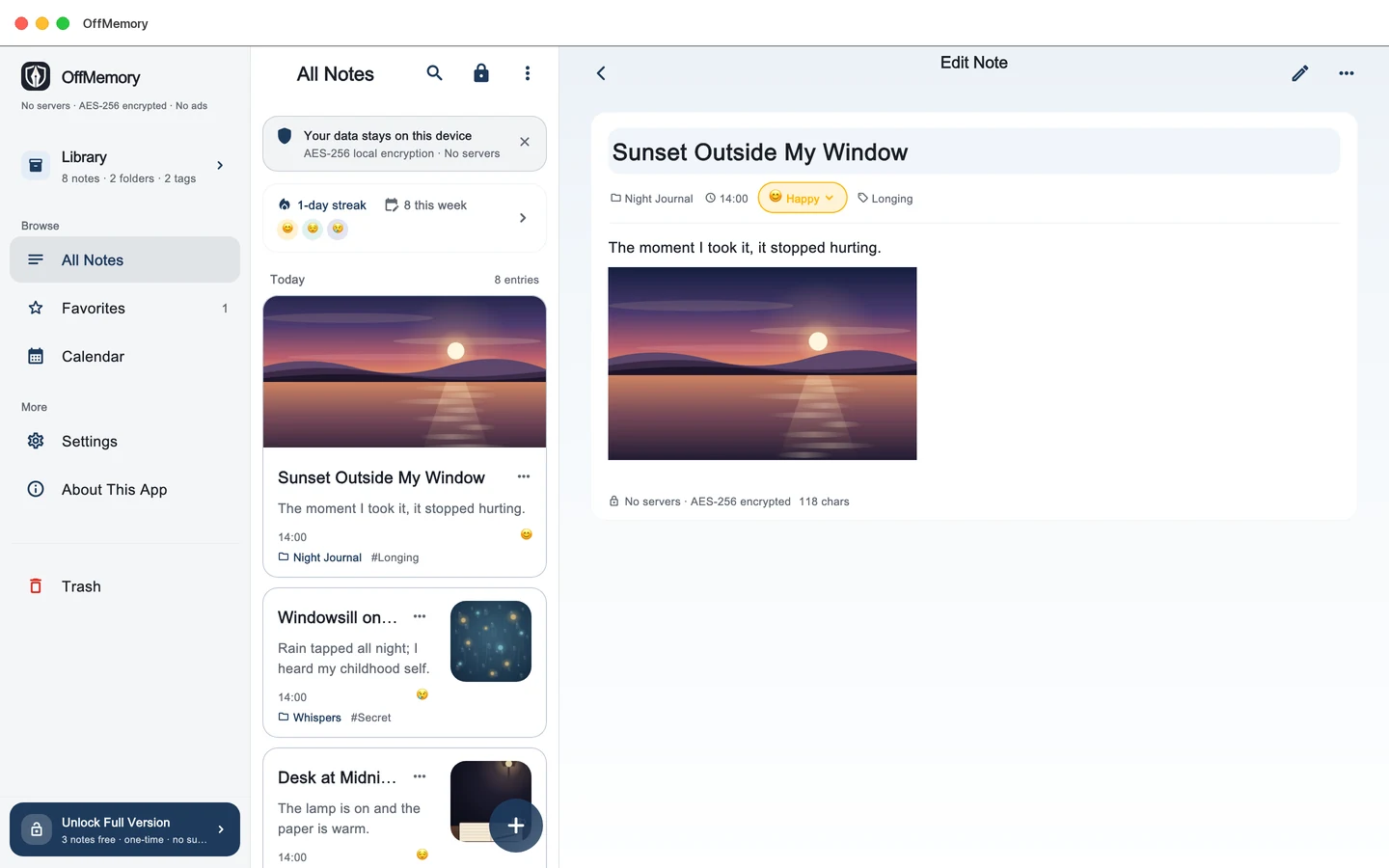
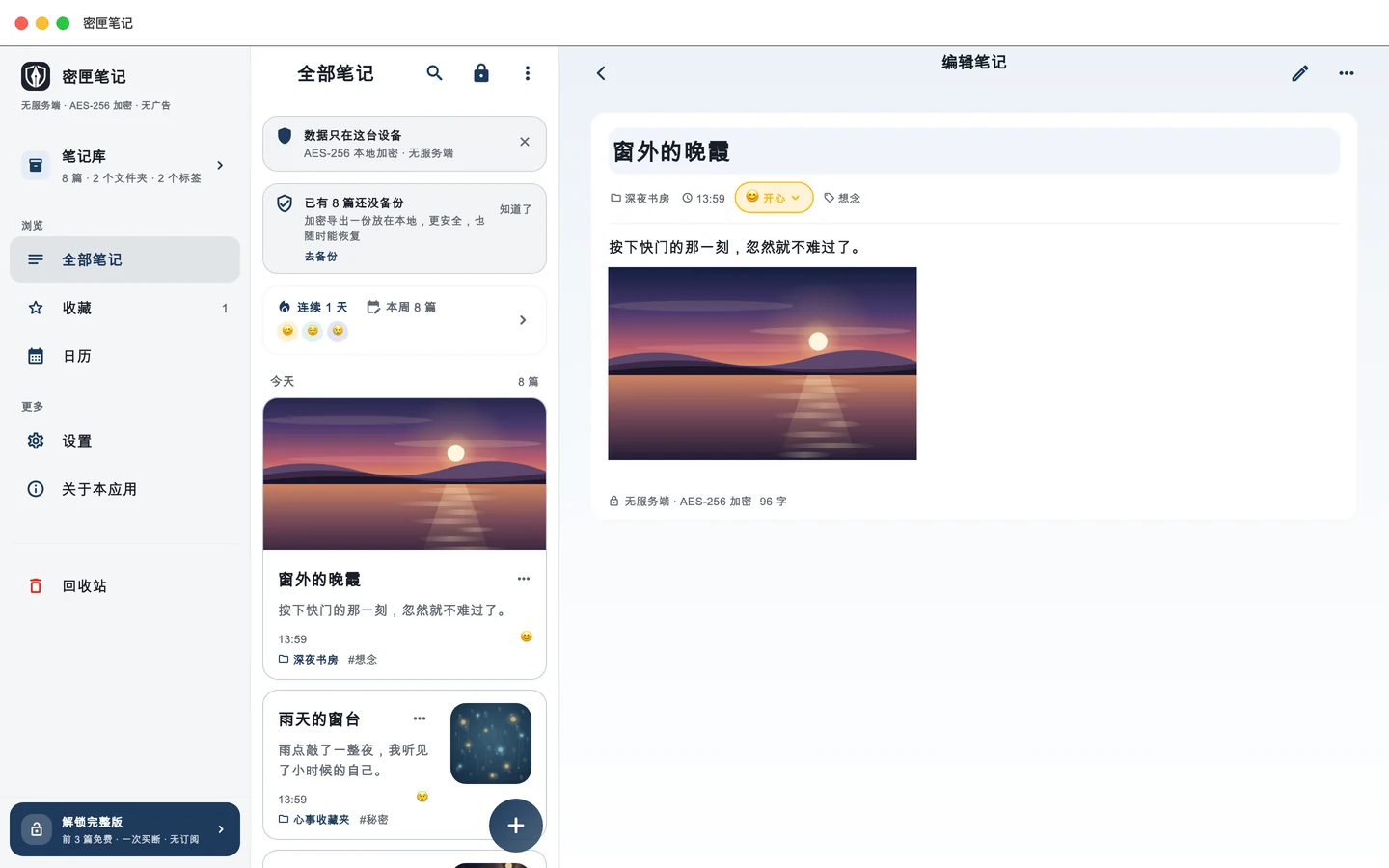
The Mac version is here, built for the Mac. Three panes side by side — navigation, note list and editor — with a native menu bar (⌘N new, ⌘S save, ⌘F find, ⌘, settings), and the window reopens at the size and position you left it.
Draw with the mouse. Handwriting works with a mouse or trackpad; a drawing made on iPhone opens and exports here unchanged.
Open it with Touch ID. On a Mac with a fingerprint reader a touch opens it; without one you can always fall back to your master password.
Spotlight finds it. ⌘Space searches titles and opens the note itself — titles only, off by default, locked notes and bodies never indexed.
One purchase, three devices. Already bought on iPhone? The Mac unlocks too — your encrypted diary travels between them as a backup, never through a cloud.
Quit without losing the last line. ⌘Q, closing the window or logging out saves first; PDF export and encrypted backups export and import on the Mac.
Mac 原生版,正式上架。 不是把手机版放大:左侧导航、中间列表、右侧正文三栏并排,顶部原生菜单(⌘N 新建、⌘S 保存、⌘F 查找、⌘, 设置),窗口还会记住上次的大小和位置。
鼠标也能画。 手写笔迹用鼠标或触控板就能写;iPhone 上画过的那张,这里照常看得到、也导得出。
Touch ID 开门。 有指纹的 Mac 一触即开;没有 Touch ID 的(比如 Mac mini 配普通键盘)随时可以回主密码。